.jpeg)
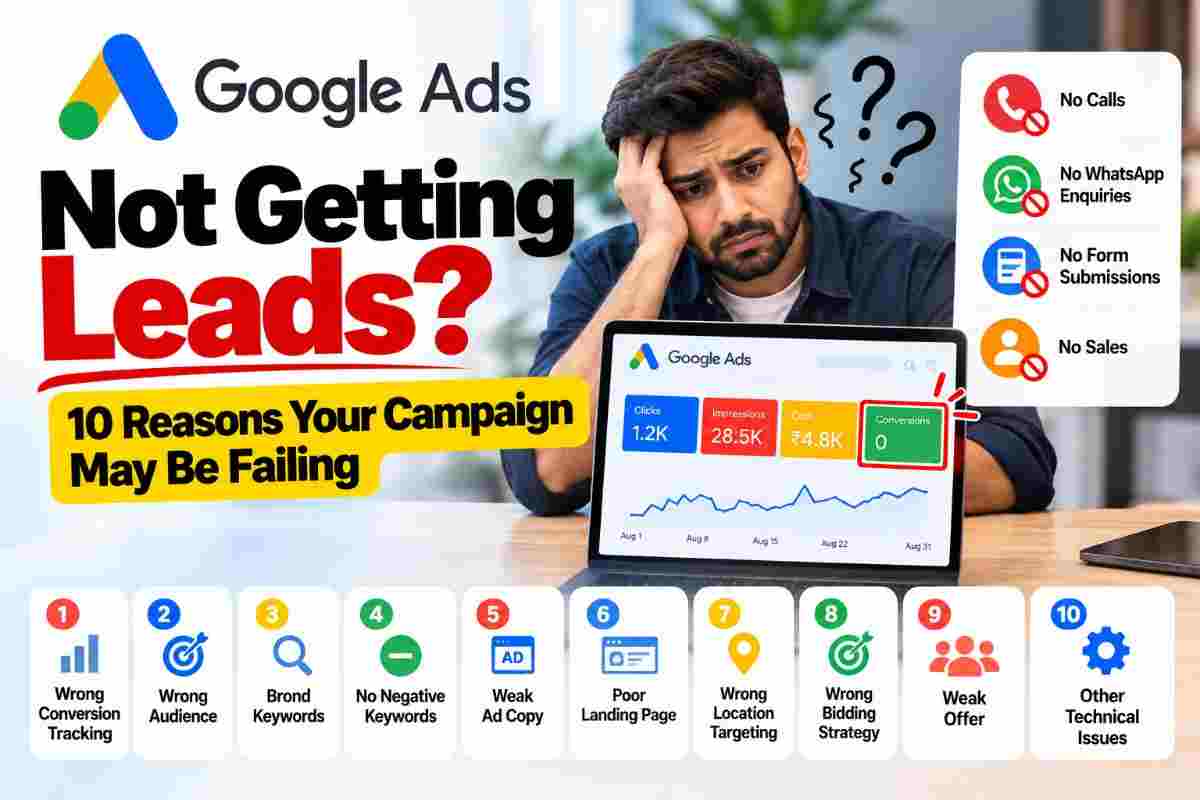
Google Ads Not Getting Leads? 10 Reasons Your Campaign May Be Failing
You are getting impressions.
People are clicking your Google Ads.
Your campaign is spending money.
But there is one problem.
You are not getting enough leads.
This is one of the most common problems businesses face when running Google Ads.
Many advertisers immediately assume that they need to increase their budget.
But increasing the budget does not automatically fix a campaign that is not converting.
The problem could be your keywords, advertisements, landing page, conversion tracking, targeting, bidding strategy, offer, or even the way customers are contacting your business.
In this guide, we will explain 10 common reasons why Google Ads may be getting clicks but not generating enough leads.
1. Your Conversion Tracking Is Not Set Up Correctly
This is one of the first things you should check.
Sometimes a business is actually receiving calls, WhatsApp messages, enquiries or purchases, but Google Ads is not recording them as conversions.
For example
- Customer clicks the advertisement
- ↓
- Customer visits the website
- ↓
- Customer calls the business
- ↓
But the call is not configured as a Google Ads conversion
In this situation, the business may think that Google Ads is not generating leads even though customers are contacting the business.
Your conversion setup should match the actual actions that matter to your business.
Depending on the business model, conversions can include
- Phone calls
- Calls from ads
- Website contact forms
- WhatsApp enquiries
- Booking requests
- Purchases
- Sign-ups
- Quote requests
- Important page actions
Before changing your campaign strategy, make sure your conversion tracking is working correctly.
2. You Are Tracking the Wrong Conversion
Having conversion tracking is not enough.
You also need to track meaningful actions.
For example, suppose you count a simple page view as a conversion.
A visitor opens your website.
The page loads.
Google records a conversion.
But the person never contacted you.
Your campaign may then appear to have conversions even though you did not actually receive a customer enquiry.
This is why businesses should separate important conversions from minor website actions.
For a local service business, a phone call or genuine enquiry may be much more important than a simple page view.
3. Your Keywords Are Too Broad
Keywords determine what types of searches can trigger your advertisements.
If your keywords are too broad, your advertisements may appear for people who are not actually looking for your service.
For example, imagine a business providing international courier services.
A very broad keyword could attract searches from people looking for
- Courier jobs
- Courier salary
- Courier tracking
- Courier franchise
- Courier company careers
- Courier delivery jobs
These users may not be looking to purchase your service.
The result can be
- More impressions
- More clicks
- More spending
Fewer genuine enquiries
Your keyword strategy should be closely connected to the actual service you provide.
4. You Are Not Using Negative Keywords
Negative keywords can help prevent advertisements from appearing for irrelevant searches.
For example, a courier business may want to review searches related to
- Jobs
- Careers
- Salary
- Recruitment
- Franchise
- Free services
- Tracking
Not every business needs to exclude all of these terms.
The correct negative keywords depend on the business and its campaign objectives.
The important point is to regularly review your search terms and identify irrelevant traffic.
A good Google Ads campaign is not only about finding keywords.
It is also about preventing unwanted searches from consuming your budget.
5. Your Advertisement Is Not Matching the Customer's Search
Imagine someone searches
- International Courier Service in Surat
But your advertisement mainly talks about
Digital Marketing Services
The person clicked because they expected one thing but found something completely different.
This creates a poor user experience.
Your keyword, advertisement and landing page should have a clear connection.
For example
- Search → International Courier Service
- Advertisement → International Courier Service in Surat
Landing Page → International Courier Service in Surat
This creates a much more consistent customer journey.
6. Your Landing Page Is Not Designed for Conversions
Getting someone to your website is only the first step.
The landing page has to convince that visitor to take the next action.
A landing page can lose potential customers because of
- Slow loading speed
- Too much text
- Weak headline
- Unclear service information
- Difficult navigation
- No visible phone number
- No enquiry button
- No WhatsApp option
- Poor mobile experience
- Lack of trust signals
- Complicated enquiry forms
Imagine spending money to bring a customer to your website and then making it difficult for them to contact you.
That is where landing page optimization becomes important.
7. Your Call-to-Action Is Weak
A customer should understand what to do next.
For example
- Call Now
- Get a Quote
- Book a Pickup
- Send an Enquiry
- Chat on WhatsApp
- Request a Callback
Get Pricing
The right call-to-action depends on your business.
If someone needs an immediate courier service, a visible call or WhatsApp option may be more useful than forcing them to search through the website for contact information.
8. Your Location Targeting Is Wrong
Location targeting can have a major effect on lead quality.
Imagine you operate a local business in Surat but your campaign is showing advertisements across a much larger area.
You may receive clicks from people who are too far away to become customers.
This can waste your advertising budget.
Review
- Target locations
- Location exclusions
- Presence settings
- Service areas
- Local search demand
For a local business, your campaign should reflect where you can actually serve customers.
9. Your Bidding Strategy May Not Match Your Goal
Google Ads offers different bidding strategies.
The correct strategy depends on your campaign objective, account history, conversion data and business goals.
For example, a campaign designed to generate leads may need a different approach from a campaign focused primarily on traffic.
Before changing your bidding strategy, understand what you are trying to achieve.
If your goal is leads, your campaign structure and optimization should ultimately focus on generating qualified leads rather than simply maximizing clicks.
10. Your Offer May Not Be Strong Enough
Sometimes the Google Ads campaign is working correctly.
The problem is the offer.
Imagine two businesses advertising the same service.
Business A
- "Courier Services"
Business B
"International Courier Services With Door-to-Door Pickup"
The second advertisement may give the customer more information about what they can expect.
The exact offer depends on the business.
You may need to communicate
- Service
- Location
- Key benefit
- Pricing approach
- Speed
- Pickup availability
- Consultation
- Free quote
- Booking option
Your advertisement should give the customer a clear reason to take the next step.
How to Diagnose a Google Ads Campaign That Is Not Generating Leads
If your campaign is not generating leads, don't immediately change everything.
Start with the data.
Follow this process
Step 1: Check Impressions
Are your advertisements actually being shown?
If impressions are very low, the issue may involve keywords, targeting, budget, bidding, search volume or campaign settings.
Step 2: Check Clicks
If you are getting impressions but very few clicks, review your advertisements and keyword relevance.
Your ad may not be attractive or relevant enough for the searches being triggered.
Step 3: Check Search Terms
Search terms can reveal what people are actually typing into Google before clicking your advertisement.
Look for
- Irrelevant searches
- Job searches
- Informational searches
- Competitor searches
- Unrelated services
- Unwanted locations
This is where negative keyword research can become extremely useful.
Step 4: Check Landing Page Experience
After clicking the advertisement, what does the customer see?
Ask
Does the headline match the advertisement?
Is the service clearly explained?
Can the customer immediately understand what to do?
Is the phone number visible?
Is WhatsApp available if relevant?
Does the page work properly on mobile?
Step 5: Check Conversion Tracking
Make sure Google Ads is actually recording the actions that matter.
Check
- Calls
- Calls from ads
- Forms
- Purchases
- Bookings
- Other important enquiries
Step 6: Check Lead Quality
Not every conversion is a good lead.
For example, you may receive 20 enquiries but only 5 are relevant to your actual service.
That means you should look beyond the conversion count.
Review
- Where the lead came from
- What keyword triggered it
- What service they wanted
- What location they came from
- Whether they became a customer
The goal is not simply more conversions.
The goal is more relevant business enquiries.
Why Increasing Your Google Ads Budget May Not Solve the Problem
This is an important point.
If your campaign is not generating leads because of poor targeting, incorrect conversion tracking, irrelevant keywords or a weak landing page, increasing the budget can simply increase your spending.
For example
- Poor targeting + ₹500 per day = wasted budget
Increasing budget
Poor targeting + ₹1,000 per day = potentially more wasted budget
The first priority should be finding the problem.
Once the campaign structure is working properly, you can consider scaling the budget based on performance and business goals.
- A Simple Google Ads Lead Generation Checklist
Before increasing your budget, check
- Conversion tracking is working
- Important conversions are correctly configured
- Search terms are relevant
- Negative keywords are being reviewed
- Keywords match your services
- Advertisements match the search intent
- Landing page matches the advertisement
- Location targeting is correct
- Mobile experience is good
- Phone number is easy to find
- WhatsApp or enquiry options are visible where relevant
- Call-to-action is clear
- Lead quality is being reviewed
- Campaign data is being analyzed regularly
Clicks Are Not the Final Goal
One of the biggest mistakes businesses make is focusing only on clicks.
Clicks are useful, but they are not the final business objective.
Imagine
- 10,000 impressions
- 500 clicks
0 genuine enquiries
That campaign has generated traffic but not business results.
Now imagine
- 2,000 impressions
- 100 clicks
15 qualified enquiries
For a lead-generation business, the second situation may be much more meaningful.
The exact numbers will vary by industry, location, competition and campaign setup.
The important principle is to optimize for the business outcome rather than focusing only on traffic.
How We Analyze Google Ads Campaigns
When we analyze a Google Ads campaign that is not generating leads, we look at the complete customer journey.
Our review can include
- Campaign structure
- Keywords
- Search terms
- Negative keywords
- Advertisements
- Location targeting
- Bidding strategy
- Conversion tracking
- Landing pages
- Call tracking
- WhatsApp enquiries
- Lead forms
- Lead quality
- Website experience
The objective is to identify where the customer journey is breaking.
For example
Search → Ad → Click → Landing Page → Contact → Lead
If the problem occurs between Search and Click, the issue may be related to keywords or advertisements.
If the problem occurs between Click and Contact, the issue may be related to the landing page, offer or call-to-action.
If leads are coming but are not relevant, targeting and search terms may need attention.
This approach helps us diagnose the actual problem instead of simply increasing the advertising budget.
Final Thoughts
If your Google Ads campaign is getting clicks but not generating enough leads, don't immediately assume that Google Ads does not work for your business.
The problem could be somewhere else.
Your conversion tracking may not be configured correctly.
Your keywords may be too broad.
Your search terms may be irrelevant.
Your landing page may not be converting visitors.
Your location targeting may be incorrect.
Your advertisements may not match customer intent.
Or your offer may not be clear enough.
The right approach is to analyze the complete journey
Search → Advertisement → Click → Landing Page → Enquiry → Lead
Find where the problem is happening.
Fix that part.
Then measure the results again.
If you are running Google Ads but getting clicks without meaningful enquiries, we can help review your campaign structure, keywords, search terms, conversion tracking, landing page and lead-generation setup.

Yash Deliwala
Google Ads Freelancer and PPC Consultant based in India. Specializing in high-intent Search campaigns, Performance Max, lead generation, and conversion tracking for businesses across India.
Want to Scale Your Business with Google Ads?
Get direct campaign planning, Search ad setup, and lead optimization with Yash Deliwala.
Chat with Yash on WhatsApp