.jpeg)
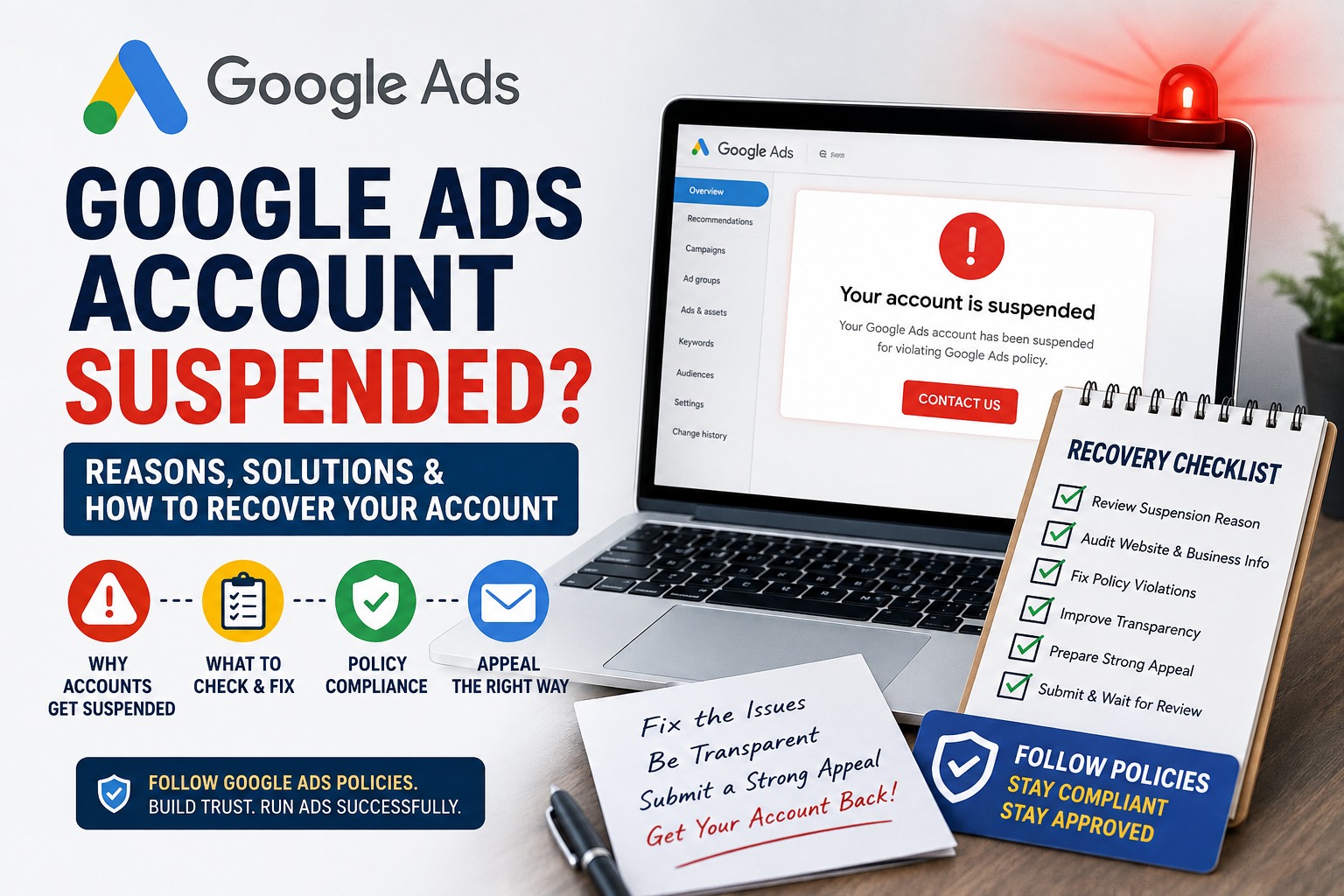
Google Ads Account Suspended? Reasons, Solutions & How to Recover Your Account
Imagine opening your Google Ads account and suddenly seeing a message saying that your account has been suspended.
Your campaigns stop running. Your ads stop serving. Your leads can disappear overnight.
And the first question that comes to mind is
"Why did Google suspend my account?"
The frustrating part is that a Google Ads suspension is not always as simple as fixing one rejected advertisement. In some cases, Google may review information across your ads, website, account, business information and other sources before taking enforcement action.
I have personally experienced the Google Ads suspension and appeal process, and one of the biggest lessons I learned is this
Don't treat a suspension like a normal ad disapproval.
Before submitting another appeal or creating another account, you need to understand what Google is concerned about, audit your website and business information, make genuine corrections, and then submit an accurate appeal.
In this guide, I'll explain the common reasons Google Ads accounts get suspended, what you should check before appealing, what you should avoid doing, and how to approach the recovery process.
What Does a Google Ads Account Suspension Mean?
A Google Ads account suspension is an account-level enforcement action.
It is different from a normal ad disapproval.
For example
Ad disapproved: A particular ad violates a policy.
Campaign paused: You or someone managing the account has paused the campaign.
Temporary account hold: Google may temporarily prevent ads from serving while certain policy issues are addressed.
Account suspension: The account is prevented from advertising because Google has identified a serious policy or account-level concern.
Google explains that accounts under a temporary hold cannot run ads, although advertisers can still access the account and its reports.
A suspension therefore needs to be taken seriously.
The correct approach is not
- Suspension → Create another account → Start advertising again
The better approach is
Suspension → Understand the policy → Audit → Fix → Document → Appeal
Why Does Google Suspend Google Ads Accounts?
There isn't one single reason.
Google Ads has many policies, and the exact reason depends on the account, advertisements, website, business model and circumstances.
Some of the important areas include
1. Misrepresentation
Misrepresentation is one of the major areas advertisers need to understand.
Google's policy says advertisers must not mislead users by hiding or misrepresenting important information about their identity, affiliations, qualifications, products or services.
Examples can include
- Using an inaccurate business name
- Hiding important business information
- Misrepresenting an affiliation with another company
- Claiming an endorsement that doesn't exist
- Making unsupported claims
Providing misleading information about products or services
Offering something in an advertisement that isn't actually available
For example, if a website gives users the impression that a company is officially associated with another organization when that relationship doesn't actually exist, it can create a policy concern.
Your website should clearly communicate
Who you are → What you offer → Who provides the service → How customers can contact you
2. Unacceptable Business Practices
Google treats certain business practices as particularly serious.
Its current policy states that hiding or misrepresenting information about a business, product or service is not allowed. Examples include pretending to be supported by another organization, offering services that cannot actually be delivered, lacking required licenses or qualifications where applicable, or impersonating another business.
This is why advertisers should never make claims simply because they sound impressive.
If your website says
"Official Partner"
make sure you genuinely have that status.
If you say
"Certified Expert"
make sure you can substantiate that claim.
If you say
"Licensed Professional"
make sure the required license actually exists.
The rule is simple
Your website should say what is true, not what sounds impressive.
3. False or Unrealistic Claims
Another common problem is making promises that create unrealistic expectations.
Google's policies prohibit false, misleading or unrealistic claims, including claims that suggest guaranteed results that advertisers cannot reasonably guarantee.
For example, be careful with statements such as
- "Guaranteed #1 Google ranking"
- "100% guaranteed leads"
- "Guaranteed sales"
- "Guaranteed first position"
- "Get unlimited customers"
"Google will guarantee your business growth"
Digital marketing results depend on many variables.
Instead of promising an impossible outcome, explain what you actually provide.
For example
Better
"Performance-focused Google Ads management designed to generate qualified leads."
Riskier
"Guaranteed 500 leads every month."
Your advertising should communicate value without making promises you cannot control.
4. Unclear Business Identity
Your website should make it obvious who operates the business.
A visitor should not have to investigate your website to figure out
Who owns the business?
What does the business do?
Where is it located?
How can customers contact it?
What services are offered?
Who will actually provide those services?
Consider having a proper
- About Us page
- Contact page
- Business email
- Phone number
- Business address where appropriate
- Service pages
- Terms & Conditions
- Privacy Policy
Refund/Cancellation Policy where relevant
Google's policies specifically identify missing or obscured business information as an area that can create misleading-representation concerns.
5. Unclear Affiliations and Partnerships
This is something freelancers, agencies and marketing professionals should pay particular attention to.
You may work with Google Ads, Meta Ads, YouTube, Shopify, WordPress or other platforms.
But using the platform does not automatically mean that you are officially endorsed by the platform.
For example, don't make your website look as though
Google itself operates your business
when you are actually an independent Google Ads professional.
Google's third-party policy prohibits misleading claims about relationships with Google, including falsely claiming Google Partner status, endorsement, special relationships or exclusive access.
A safer approach is to describe your relationship accurately.
For example
"Independent Google Ads specialist helping businesses manage their advertising campaigns."
That is much clearer than making an unsupported official-sounding claim.
6. Circumventing Google's Systems
This is one of the most important things to understand after a suspension.
If your account has been suspended, creating another account just to continue advertising can create another policy problem.
Google's Circumventing Systems policy specifically prohibits attempting to bypass enforcement mechanisms, including creating new accounts after a suspension to re-enter Google Ads.
So don't follow this approach
Account suspended → New Gmail → New Google Ads account → Same business → Continue advertising
That is not a genuine solution.
If there is a legitimate mistake or misunderstanding, use Google's appeal process instead.
My Experience With a Google Ads Account Suspension
I learned this lesson through my own experience.
When a Google Ads account is suspended, the natural reaction is to immediately look for a way to get the ads running again.
But after going through the appeal process, I realized that the better question isn't
- "How can I get the account unsuspended quickly?"
The better question is
"What could Google see as a problem with this business, website or advertising setup?"
I went through the website and business information carefully and looked at areas such as
- Business identity
- Contact information
- Services
- Website content
- Branding
- Business relationships
- Claims made on the website
- Policy pages
- Advertising information
I also submitted appeals and learned that simply saying
"My business is legitimate. Please unsuspend my account."
is not necessarily the strongest way to approach an appeal.
A much better approach is to explain what you reviewed, what you changed, why you believe the account should be reconsidered, and provide accurate supporting information.
The experience taught me that the appeal is not the first step. The audit is.
Website Checklist Before Appealing a Google Ads Suspension
Before you submit another appeal, go through your website carefully.
- Business Information
Check whether your website clearly shows
- Business name
- Business description
- Contact information
- Business email
- Phone number
- Physical address where relevant
About Us information
Make sure these details are genuine and consistent.
- About Us Page
Your About Us page should explain
- Who you are
- What your business does
- Where you operate
- What experience or qualifications you actually have
What services you provide
Don't copy generic content from another company.
Your website should represent your actual business.
Contact Page
Make it easy for users to contact you.
Include appropriate contact methods such as
- Phone
- Contact form
- Business address where relevant
Business hours where useful
A real business should not look anonymous.
Service Pages
Clearly explain your services.
For example, if you provide Google Ads management, explain
- Campaign setup
- Keyword research
- Ad creation
- Campaign management
- Conversion tracking
- Reporting
Optimization
Don't advertise services that you don't actually provide.
Google's policies prohibit promoting unavailable offers or services that aren't actually available from the destination.
Pricing Information
If your service has important pricing conditions, make them clear.
Avoid creating a low-price impression in an advertisement and then hiding important costs later.
Google's misrepresentation policies include dishonest pricing practices where users are given a false or misleading impression of the cost.
- Legal Pages
Depending on your business model, consider having
- Privacy Policy
- Terms & Conditions
- Refund Policy
- Cancellation Policy
- Shipping Policy for e-commerce businesses
- Disclaimer where appropriate
These pages aren't a magic "suspension fix."
But they help make your website more transparent and complete.
- What NOT to Do After a Google Ads Suspension
Don't Immediately Create Another Account
Creating another account to bypass a suspension can violate Google's Circumventing Systems policy.
Resolve the original issue first.
Don't Keep Submitting Random Appeals
If your first appeal is rejected, don't simply submit the same message again and again.
Review the account.
Find what may have caused the problem.
Make legitimate changes.
Then explain those changes clearly in your next appeal.
Google says appeals should be thorough, accurate and honest.
- Don't Change Only Your Domain
Changing
example.com → example-new.com
doesn't automatically solve a policy problem.
If the underlying issue is your business information, advertising practices, claims or account setup, changing the domain doesn't address the root cause.
- Don't Create Fake Business Information
Never change your
- Business name
- Address
- Identity
- Payment information
Verification information
simply to make the account appear to belong to someone else.
Your information should be accurate and consistent.
- Don't Make False Claims in Your Appeal
Don't tell Google
"We changed everything."
if you didn't.
Don't say
"We are officially partnered."
if you're not.
Don't provide fake documentation.
Be honest.
A suspension appeal is not the place to experiment with wording. It is a place to provide accurate information.
How to Submit a Google Ads Suspension Appeal
If you believe the suspension is incorrect, Google provides an appeal process.
The current Google Ads process directs advertisers to the Contact Us link in the suspension notification, which opens the relevant appeal form. Google may also require advertiser verification in certain cases.
Before submitting
Step 1: Read the suspension message
Don't skip the exact policy mentioned by Google.
- Step 2: Review your website
Check your
- Homepage
- About page
- Contact page
- Service pages
- Pricing
- Legal pages
- Business information
Step 3: Review your advertisements
Check whether your ads make claims that your landing page doesn't support.
Step 4: Review your business information
Make sure your business name and other account information are accurate.
Step 5: Fix genuine issues
Don't make cosmetic changes only.
Fix the underlying problem.
- Step 6: Prepare your explanation
Explain
- What your business does
- What you found
- What you changed
- Why you believe the account should be reviewed
- Any relevant supporting information
Step 7: Submit the appeal
Submit through Google's official process.
Step 8: Wait for the review
Avoid trying to bypass the suspension while the appeal is being reviewed.
What Should You Include in a Google Ads Suspension Appeal?
A strong appeal should be clear and specific.
Instead of writing
"Please unblock my account. I have done nothing wrong."
consider explaining the situation more professionally.
Your explanation can cover
1. Business identity
Clearly explain who operates the business.
2. Business model
Explain what products or services you actually provide.
3. Policy concern
Mention the policy concern shown in your account.
4. Changes made
Explain the actual changes you made.
For example
- Updated About Us page
- Clarified business affiliation
- Added contact information
- Removed unsupported claims
- Improved service descriptions
- Updated policy pages
5. Supporting information
Provide accurate information requested by Google.
6. Request for review
Politely ask Google to review the account again.
The goal is not to write the longest appeal.
The goal is to write an accurate, specific and useful appeal.
Can You Create a New Google Ads Account After Suspension?
This is one of the most common questions.
Do not create a new account simply to bypass an existing suspension.
Google's Circumventing Systems policy specifically identifies creating new accounts after suspension to re-enter Google Ads as prohibited behavior.
If you legitimately manage multiple businesses or accounts, that is different. Google says legitimate multiple accounts should be connected to real businesses and should not be used to circumvent enforcement.
So the important distinction is
Multiple legitimate accounts ≠ creating accounts to evade suspension.
Google Ads Suspension vs Ad Disapproval
Understanding the difference is important.
- Situation Meaning
- Ad disapproved A specific advertisement has a policy problem
Campaign paused Campaign is not currently running
Temporary hold Ads are temporarily prevented from serving while certain issues are addressed
Account suspended Google has taken account-level enforcement action
Billing suspension The issue is related to billing or payment
A temporary hold and an account suspension are not necessarily the same thing. Google explains that temporary holds can be associated with its strike system for certain non-egregious policy violations.
How Can You Prevent a Future Google Ads Suspension?
The best time to think about compliance is before launching your campaigns.
Use this simple process
1. Keep business information accurate
Your website, Google Ads account and business information should tell the same story.
2. Don't exaggerate
Avoid unrealistic guarantees.
3. Clearly explain your services
Users should understand what they're buying.
4. Be transparent about affiliations
Don't imply partnerships or endorsements that don't exist.
5. Keep your website professional
Make it easy to find important business information.
6. Monitor policy notifications
If Google flags something, don't ignore it.
7. Don't try to bypass enforcement
If there is a problem, resolve it through the proper process.
Frequently Asked Questions
Why is my Google Ads account suspended?
Google may suspend an account for serious or repeated policy violations, payment-related issues, misleading business information, unacceptable business practices, circumventing systems, or other account-level concerns. The exact reason depends on the notice shown in your Google Ads account.
Can I appeal a suspended Google Ads account?
Yes. If you believe the suspension is incorrect or you have addressed the relevant issue, Google provides an appeal process. Google recommends that appeals be thorough, accurate and honest.
Can I create another Google Ads account after suspension?
Creating another account specifically to bypass a suspension can violate Google's Circumventing Systems policy.
Can my website cause a Google Ads suspension?
Yes, your website can be relevant to Google's policy review. Google says it may consider information from your ads, website, accounts and third-party sources when evaluating certain serious violations.
What is Google Ads misrepresentation?
Misrepresentation involves misleading users by hiding, omitting or inaccurately presenting important information about a business, product, service, identity, affiliation or qualification.
Should I change my domain after a Google Ads suspension?
Changing your domain should not be treated as a way to bypass a suspension. First identify and address the underlying policy or account issue.
Should I submit the same appeal multiple times?
Don't repeatedly submit the same appeal without addressing the underlying issue. Review the suspension reason, make genuine corrections and then provide an accurate explanation.
Can Google reinstate every suspended account?
No. Reinstatement isn't guaranteed. Google states that some serious policy violations can result in suspension without prior warning and that accounts are reinstated only in compelling circumstances.
Final Thoughts
A Google Ads suspension can be stressful, especially when advertising is responsible for generating leads and customers for a business.
But the worst response is to panic and start creating new accounts, changing domains or submitting random appeals.
Instead, slow down.
Read the policy.
Audit the website.
Check the business information.
Remove misleading or unsupported claims.
Fix genuine problems.
Document what you changed.
Then submit a clear and honest appeal.
My biggest lesson from dealing with a Google Ads suspension is that getting an account back isn't about finding a shortcut.
It's about understanding why Google doesn't trust the advertising setup, fixing the underlying problem, and demonstrating that the business and advertising experience are transparent and legitimate.
Google Ads is a powerful platform, but with that reach comes responsibility.
If you're managing Google Ads for your own business or for clients, don't wait until an account is suspended to think about policy compliance.
Build a trustworthy website. Use accurate business information. Make realistic claims. Be transparent about your services and affiliations. And always follow Google's advertising policies.
If your Google Ads account has been suspended and you're unsure what to check before submitting an appeal, a professional account and website audit can help identify potential issues that deserve attention.
About the Author
Yash Deliwala is a digital marketing professional and Google Ads freelancer based in India, helping businesses with Google Ads, lead generation, website development and digital marketing.
His experience managing Google Ads campaigns and dealing directly with account-level policy issues has provided practical insight into the importance of website transparency, accurate business information and Google Ads policy compliance.
Important: This article is for educational purposes and is not a guarantee that any Google Ads account will be reinstated. Google's policies and enforcement procedures can change, so advertisers should always refer to the latest official Google Ads policy documentation before submitting an appeal.

Yash Deliwala
Google Ads Freelancer and PPC Consultant based in India. Specializing in high-intent Search campaigns, Performance Max, lead generation, and conversion tracking for businesses across India.
Want to Scale Your Business with Google Ads?
Get direct campaign planning, Search ad setup, and lead optimization with Yash Deliwala.
Chat with Yash on WhatsApp